
Picture this:
You're about to learn everything about "Printing Proofs What Are They? When Do I Use Them?" — without the jargon, without the fluff, and with at least one dad joke that'll make you groan. Grab your coffee. Let's go.
Key Takeaways
6 min read
- 1What you need to know before printing
- 2Common mistakes to avoid
- 3How to get the best results
You are planning a business opening, you're rebranding, launch of a new product/service, or an event to delight existing customers. This comes with allocating budgets, assigning roles, finalising venues and preparing materials. Some of those materials are your printed collateral: 5 000 Flyers here, 2 500 Business Cards there, 1 000 Brochures, 100 Posters, 4 Pull-up Banners, some Signage and a few Notepads to giveaway.
The bottom line? A single error can be catastrophic when you're printing thousands of pieces.
Not only will mistakes blow your carefully planned budget, but they'll also steal your precious time and damage your results. Fortunately, there's a solution: printing proofs. They're your safety net before small mistakes get multiplied thousands of times.
Now, printing proofs aren't just "one printed copy" of what you ordered. Modern printers aren't set up to print singles – they're designed for volume runs because that's what makes printing affordable. The setup for consistent, high-quality production across thousands of copies requires significant preparation.
“Smart printing starts with smart proofing. The cost of a proof is always less than the cost of reprinting thousands of incorrect pieces.
PPrintulu Academy
Here are your proofing options to help manage your printing budget:
So many options - Photo by freestocks.org on Unsplash
So many options
Proof 1: Automatic Basic Check (Preflight)#
This is your first line of defence – a basic check for the right format (size), appropriate 3mm bleed and correct file type.
Specialised software automatically ensures your artwork can be printed in the desired format. If there are extreme errors like missing bleed, text too close to the edge, or no die trace, the system will reject your artwork and email you about the issue. However, this automatic system won't catch every error that could make your file not print-ready.
That's why you need to thoroughly review your artwork beforehand. Check page ordering, verify you've used the right images, double-check spelling and other crucial details before uploading.
When to choose this: You've thoroughly inspected your artwork and don't need to see it before production starts.
Proof 2: Email Proof (Artwork)#
This is your artwork after it's passed the preflight process and received basic fixes. Your artwork has been checked for format, colours, fonts, images and other print-ready elements. You'll receive a PDF via email to check for:
- Bleed – are your important details safely outside the bleed area?
Anything in the bleed zone risks being lost during cutting.
- Format – does your artwork look correct when scaled to final print size?
Watch for stretched or squashed text and images.
- Text – does all text appear as required?
Sometimes text isn't properly embedded or saved as curves, and could disappear in the final print.
- Colours – are these the colours you expected?
Make sure you've saved your artwork in CMYK colour mode before uploading. This ensures accurate colours in four-colour process printing (Cyan, Magenta, Yellow and Black). If your file's in RGB format, your trustworthy royal blue might print as mysterious royal purple...
- Images – are your images high resolution?
This matters especially for large format printing. Low-resolution images become pixelated when scaled up, and pixelated logos send the wrong message about your brand quality.
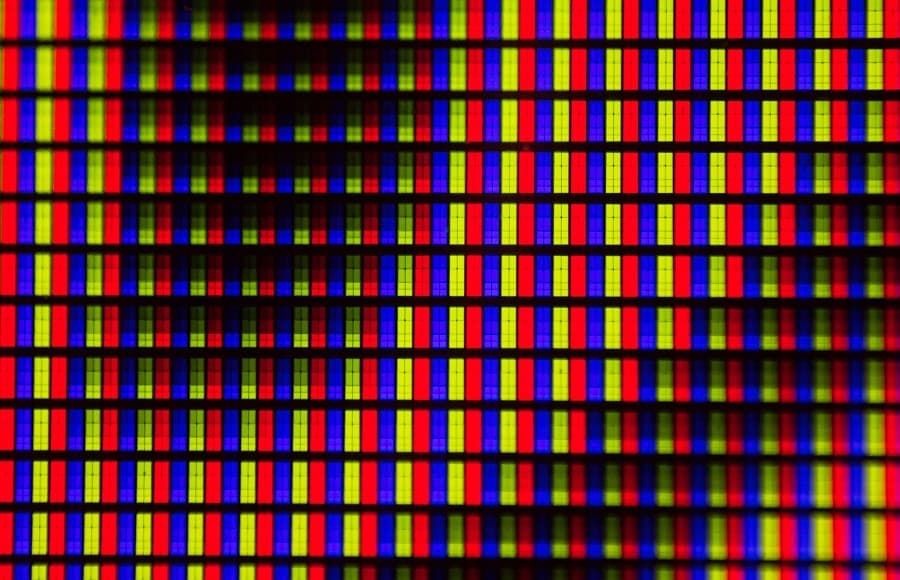
Hi-resolution - Photo by Michael Maasen on Unsplash
Hi-resolution
Proof 3: Delivered Plotter Proof#
A plotter is an inkjet printer that creates a sample of your final print. When you order a delivered plotter proof, your file gets checked, fixed, made print-ready, printed and delivered to you.
The catch? This won't be printed on your specific paper choice or with your required finish (lamination, binding, etc.), and colour vibrancy might vary slightly from the final product. On a plotter proof, you're checking for:
- Details – are required details printed in the right areas and correct order?
This matters especially for Brochures, Deskpad Calendars and Folded Leaflets. You want everything in the right place when cut and folded/bound.
- Colours – do colours appear as per your artwork?
Note that colour sharpness may differ from your expectations.
- Images – are images sharp or pixelated?
Great opportunity to check that your images are high-res when scaled to final print size. (Some large format sizes can't be printed on plotter machines)
You can also request an emailed picture of this plotter proof.
Printulu Pro Tip
Proof 4: Printed Sample#
This is one copy of your final print. The entire infrastructure designed for printing multiple copies has to be used for just one piece. This significantly impacts your budget, so only request a printed sample if you're willing to cover the additional expense.
Check that the copy meets all your expectations.
Here's a quick checklist for when you should consider requesting a proof:
- Value of the products – are you printing large volumes, on premium material and/or in large format?
If your order value is substantial, a proof helps ensure you've covered all bases.
- Timeline / Urgency – how close are you to your deadline?
Remember, your final print job only starts after the proof is printed and approved. Tight deadlines mean you risk missing them.
- Cost – does your budget accommodate the proof cost?
This isn't a low-cost option, so ensure your budget can handle it.
- Complexity – Do you need custom die-cutting? Are there subtle colours and details in your artwork?
Complex prints need to be checked - Photo by Georgy Rudakov on Unsplash
Dad Joke Break
Why don't printers ever get stressed?
Remember that proofs don't include design services – if there are errors with your artwork, you're responsible for the redesign. If you need design help, Printulu offers professional graphic design services at additional cost.
Your Proofing Strategy#
Various proof types let you check different aspects of your artwork before printing. These range from automatic software checks to single samples of the final print. They're designed to work with your order value, timelines, budget and print job complexity.
Choose based on what matters most for your specific project. Sometimes an email proof is perfect. Other times, you'll need that printed sample to sleep soundly before your big launch.
Related#
Shop this product
Order Brochures →