

Picture this:
You're about to learn everything about "Online Print Ordering Simplified Tips & Tricks" — without the jargon, without the fluff, and with at least one dad joke that'll make you groan. Grab your coffee. Let's go.
Key Takeaways
5 min read
- 1What you need to know before printing
- 2Common mistakes to avoid
- 3How to get the best results
Online print ordering doesn't have to be complicated. After 7 years in the business and serving over 15,000 clients, we've heard every question imaginable about our online ordering system. While Printulu is designed to be simple and user-friendly, some folks still get stuck on artwork uploads and order management.
Here are the answers to your most pressing questions about online print ordering:
1. When and how do I upload my designs/artwork?#
You can upload your artwork on your order confirmation page once you've completed payment. You can also upload it later in the "my orders" section of your dashboard. Remember: your order is only complete once you've uploaded a valid proof of payment and your artwork is uploaded.
!Upload-Artwork-copy#
2. How do I upload a file with a front and a back page?#
Upload it as one file with separate single pages. Only upload one artwork per line item ordered. If you upload two artworks the system might replace them and your artwork will be reported as "same artwork uploaded" or "Single-sided artwork for a double-sided order."
<AcademyProTip>Save yourself time and confusion by creating a single PDF with page 1 as your front and page 2 as your back. Most design software lets you export multi-page PDFs easily.</AcademyProTip>
!Screenshot 2#
3. I found a mistake in my design after uploading it, can I change it?#
If you spot a mistake, let us know before 12pm on the same day via support@printulu.co.za. Please attach your amended artwork to the email. We'll then check on the system to see if your artwork can still be replaced. If your artwork has been approved by DTP, unfortunately, we can't consider it because it's likely already in production.
4. What do I do if I have problems uploading my artwork?#
Give us a call or email us your artwork and order number. Please note that you can't fill in a design brief unless your order is paid.
5. Are there specific requirements for my artwork? Which types of file can I upload?#
The best choice is to upload a <a href="/blog/print-ready-file-guide" class="internal-link text-[#007756] hover:text-[#005d42] underline font-medium">print-ready</a> PDF file, but we also accept JPG, PNG, TIFF and regular PDF files. To avoid errors, it's best to follow our Artwork Guidelines.
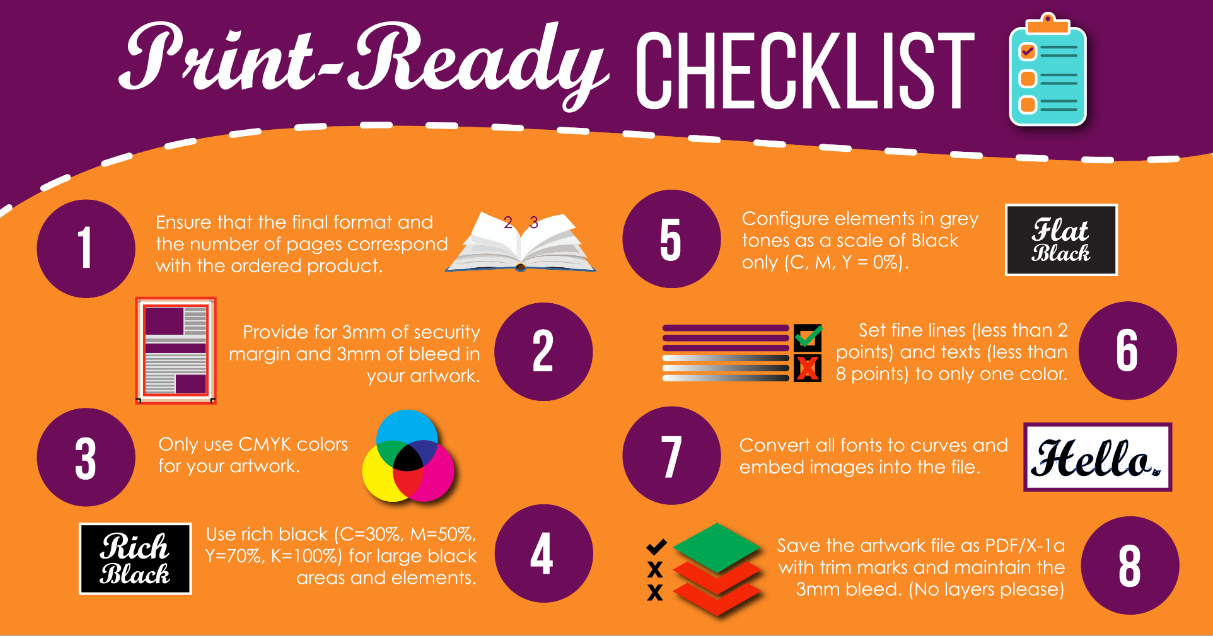
Print ready checklist infographic
“Here a quick article on how to set up artwork correctly in [Canva](https://www.printulu.co.za/blog/canva
ssetup/).
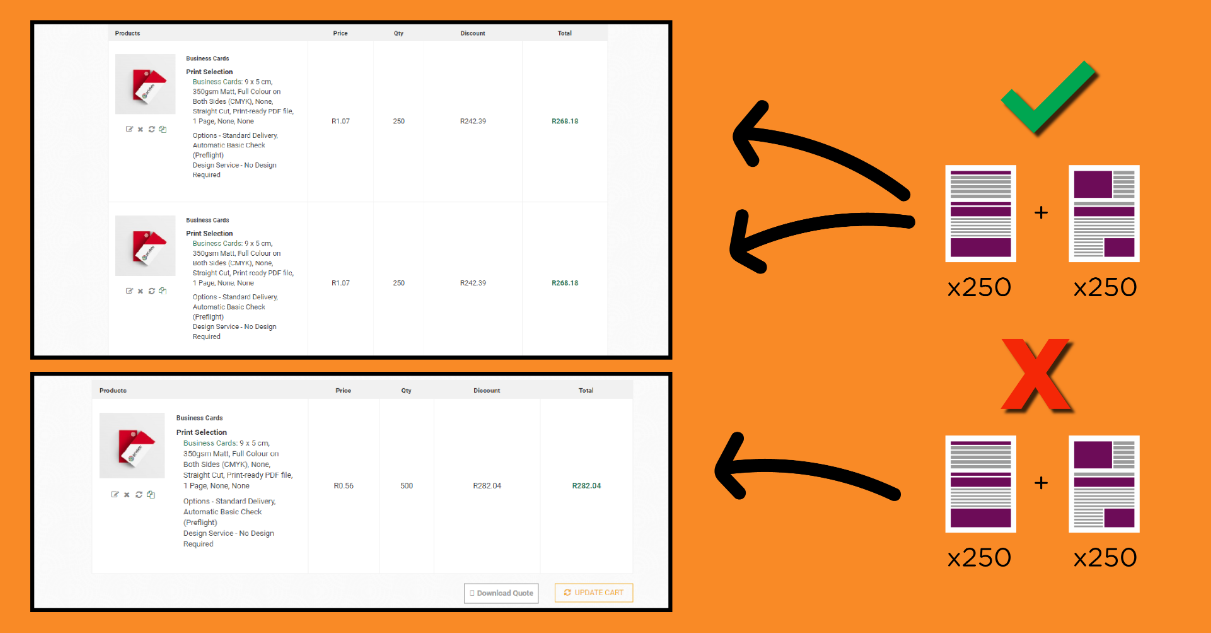
6. Can I divide the minimum order quantity between different products?#
No, the minimum order quantity applies to the total quantity of one design or product.
Screenshot 3
7. Can I save my cart and finish my order later?#
Yes, if you have an account with us, your cart will be saved for 14 days. If you don't have an account, you can still order but having an account makes it easier to keep track of your orders.
8. Can I cancel or change my order after it's been placed?#
If you need to change your order, please contact customer service before 12pm. If you cancel your order before that time, you'll receive a refund in the form of a Printulu store credit. Cancellations and order changes after that time can't be refunded as they've already gone into production.
<AcademyQuote>The 12pm cutoff isn't arbitrary – it's when our production team starts prepping your job. Think of it as the printing equivalent of a train leaving the station.</AcademyQuote>
9. How do I know my online order was successful?#
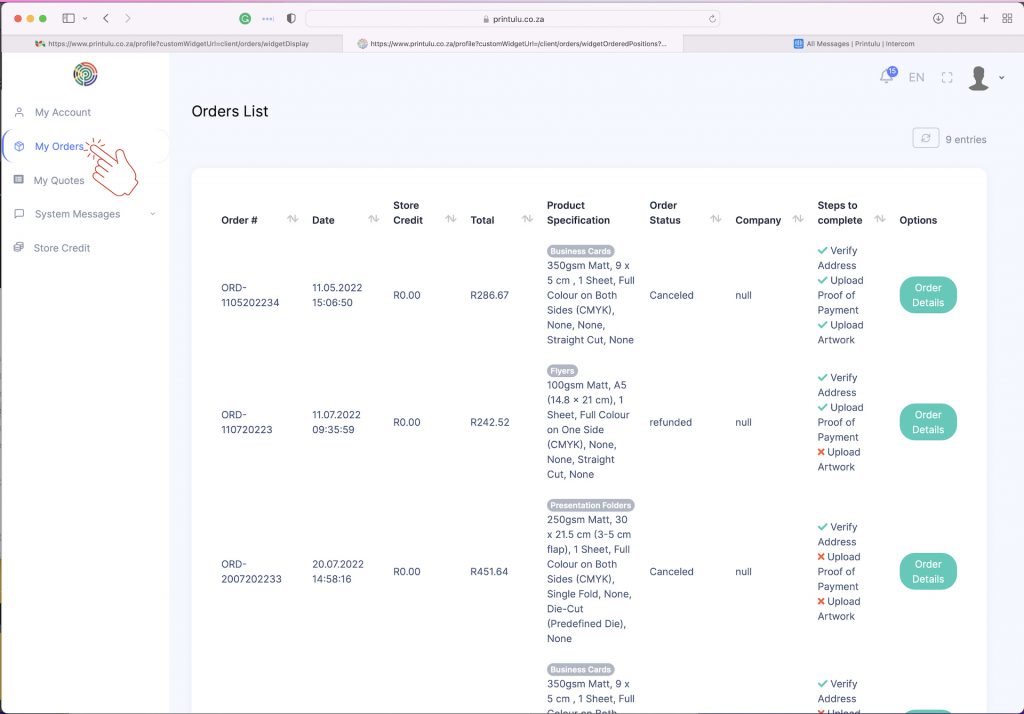
Once we receive your online order, we'll automatically send you a confirmation email. If you have an account, you can also track your order in the "My Orders" section of your profile.
!Screenshot 4#
!Order-confirmation#
10. I have a problem with my order, what should I do?#
Our customer service team is here to help with any questions or issues you may have. Contact us by phone or email for assistance.
11. My order was cancelled in the middle of placing it, what should I do now?#
If you didn't receive a confirmation email for your order, check the "My Orders" section of the website in your dashboard. If you don't see your order there, try placing it again or contact customer support for assistance.
My-Order
12. What is my Order Number, and where can I find it?#
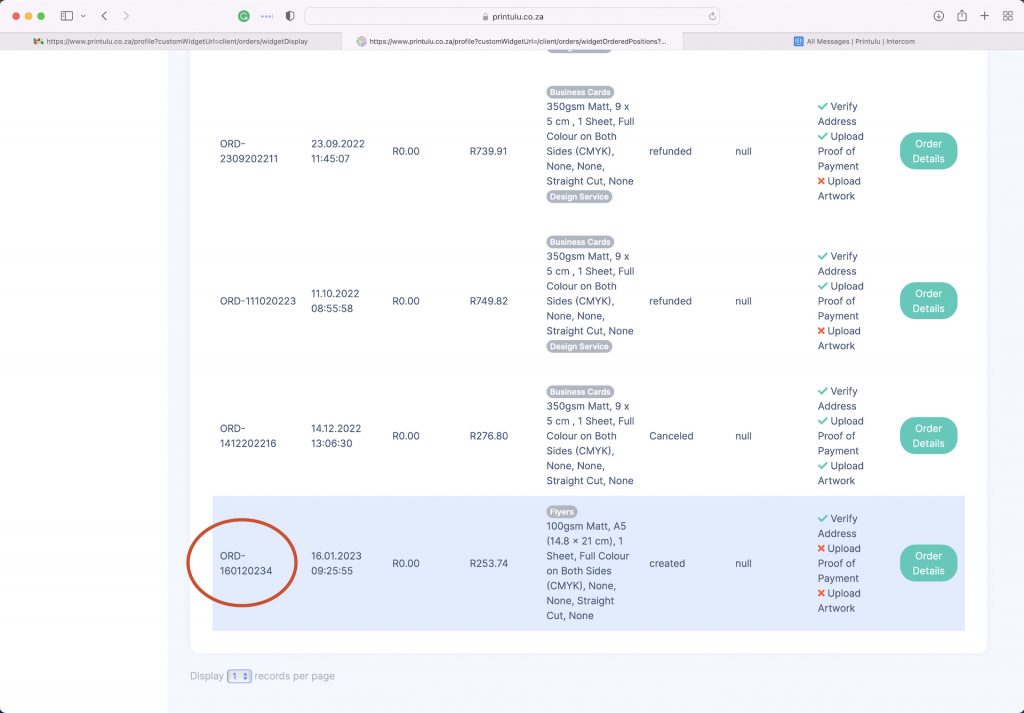
Your order ID is a unique number linked to your order. You can find it in the confirmation email of your order, as well as in the "My Orders" section of your dashboard. The order number always starts with "ORD-".
Order-Number-copy
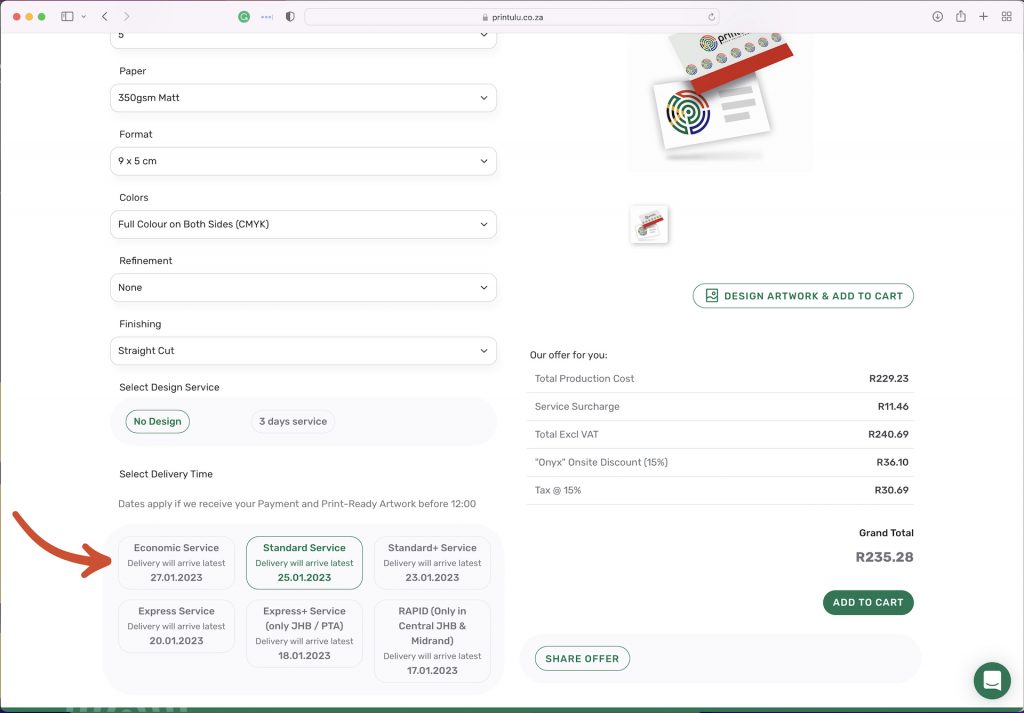
13. I have a deadline, what must I do?#
Our online ordering system allows you to select one of 6 delivery dates. Be sure to always work in a day or two to avoid unnecessary stress. If, however, you've accidentally selected the incorrect delivery option, you can request a service upgrade from support agents at a cost.
Delivery-Time
<AcademyDadJoke>Why don't printers ever miss deadlines? Because they always have good impressions to make!</AcademyDadJoke>
P.S. One last thing… (this matters!)#
Ready to place your order? My biggest tip would be to subscribe to our Printulu newsletter when you do. Our newsletter isn't just about updates on pricing and process changes. We use it to send out deals that we don't post anywhere else. You'll benefit far more and save much more in the long run if you take advantage of everything we have to offer. Subscribe here.
Did this answer your questions? Leave us a comment down below to let us know what you think!
You might also like…#
- Print Businesses Are Helping Restaurants Reopen, But How?
- 5 Ways Printing Companies Wastes Your Money – And How To Avoid It (You Should Be Asking These Questions)
- Coronavirus Survival Guide: Keeping Your Brand Top Of Mind On A Shoestring Budget (The Right Way)
