
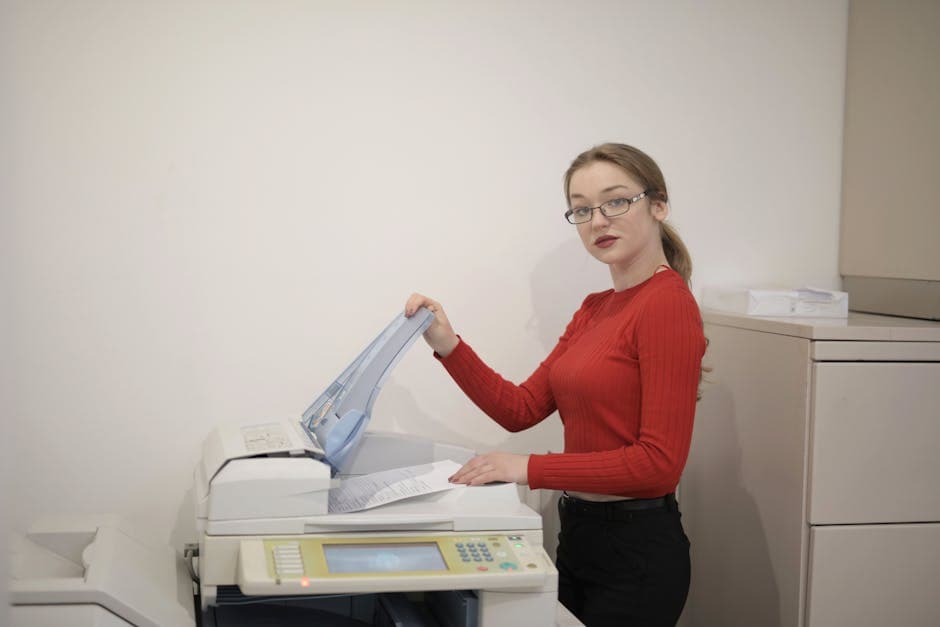
Picture this:
You're about to learn everything about "Disappointed With Your Prints? It Could Be Your Fault! Shocking" — without the jargon, without the fluff, and with at least one dad joke that'll make you groan. Grab your coffee. Let's go.
Key Takeaways
7 min read
- 1What you need to know before printing
- 2Common mistakes to avoid
- 3How to get the best results
There is nothing more frustrating than waiting patiently for your order, and then upon receiving your package discovering that the print came out wrong. We at Printulu want you to get what you expected every time you order with us.
Take Jimmy above for instance. Jimmy printed his first 500 <a href="https://www.printulu.co.za/product/flyers?utm_source=blog&utm_medium=content&utm_campaign=internal" class="internal-link text-[#007756] hover:text-[#005d42] underline font-medium">flyers</a> with LOL-printers but he paid an arm and a leg for these. When he ran out of flyers, he decided to print 5000 more and found Printulu to be his cheapest option.
He sent the same artwork that he'd sent to LOL-printers to Printulu, and 5 days later he received his prints.
Upon receipt of his flyers, Jimmy called customer service to complain about the colours. In his exact words, "I hate these flyers! They look nothing like what I sent to you. The print came out wrong. This is not what I asked for." Much to his dismay, Jimmy took to social media to express his grievances saying that it was Printulu's fault, the prices are too good to be true and low-grade machines were used to print.
Little did Jimmy know that that was not the case.
Several factors can affect how your artwork turns out on paper. Understanding these before you place your print order will save you disappointment — and help you get the results you're after.
These factors include but are not limited to the following:#
1\. CMYK to RGB conversion#
Here's the truth: The most common reason customers say their print came out wrong is colour vibrancy issues. What you see glowing on your screen simply can't be achieved on paper when you're working in RGB instead of CMYK. If you send RGB artwork to a printer, you're taking a risk.
Your scanner, digital camera and computer monitor use red, green and blue (RGB) light to display colour. Printers work completely differently — they use CMYK (Cyan, Magenta, Yellow and Black). When your RGB artwork hits our machines, those colour codes don't match up directly to CMYK values.
The CMYK colour model is a subtractive colour model, so it works the opposite way to RGB.
- 1To print on a four-colour press, all RGB files must be converted into CMYK colour.
- 2Certain RGB colours you can see on your monitor — particularly bright blues, greens and reds — simply can't be replicated with standard CMYK inks.
<AcademyQuote> There's no such thing as an RGB printer. The best practice is to learn how to use CMYK colours to your advantage from the start. </AcademyQuote>
Tips to make CMYK artworks vibrant:#
Designing for print means understanding and working with CMYK's limitations to achieve the best possible result.
Want the brightest colours for print? Use solid versions of each main colour: Cyan, Magenta, and Yellow. For example, 100% cyan gives you the brightest blue, while 100% Cyan + 100% Yellow delivers the brightest green.
But here's something crucial: when you're working with large black areas in your design, don't use flat black (100% black). Flat black looks dull when printed on large spaces, though it's perfect for small elements like text.

Two versions of black
The best black to use is rich black or designer black (pictured left). This prints as a vibrant, deep black. Each designer has their own black blend, but the most common one is C=70 M=50 Y=30 K=100.
<AcademyProTip> Design in CMYK colour space from the beginning. Many people design in RGB then convert to CMYK, but this often produces disappointing results. </AcademyProTip>
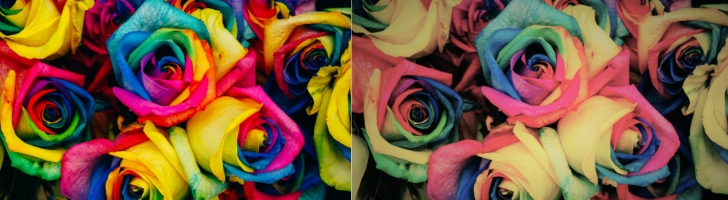
RGB vs CMYK
RGB converted to CMYK
The most important tip? Have fun and experiment. Use colour swatches from images you love, like the available colour swatches on Pinterest. Although CMYK can feel limiting, remember that often less is more. Sure, you might not achieve that luminous yellow, but is it really necessary for a beautiful design?
2\. The printing method#
You've probably seen us mention gang run printing in our previous blogs. The reason you pay such affordable prices with Printulu is because we use this method.
One risk that comes with gang run printing is slight colour variations in your artwork, depending on what other artworks it's batched with.
We mitigate this issue by having the best machine minders. However, print is a manufactured process — there will always be slight variations in colour. These variations are normal and don't mean your print came out wrong.
3\. The difference in machines used#
Now you might ask, "Why did Jimmy's first flyers come out fine if the artwork was RGB?" Simple. Jimmy's first quantity was 500 flyers — a smaller run that printers handle on digital machines. These machines often convert colours to match automatically. While RGB is meant for online viewing only, it can sometimes work on digital printing presses. Even then, it's not always accurate — Jimmy just got lucky the first time.
The second time around, Jimmy printed 5000 flyers. That's a long run printed through our litho press, which is why the colours looked different.
Digital printers use dry toner and transfer images electronically to paper. Your artwork goes through less scrutiny because digital machines are more 'accommodating' of technical errors.
Print the exact same job on a litho press, and you'll likely see colour differences. That's why we can't offer digital print proofs for litho jobs — they won't give you a true colour indication. Both printing types produce extremely high-quality, professional results for businesses.
4\. The file#
Issues can occur if your file wasn't supplied as PDF/x-1a and you used transparencies and soft masks. This happens when artwork is designed in non-design software like Word and PowerPoint, then converted to PDF. The file won't be PDF/x-1A. It can also happen when files aren't saved properly from design software.
5\. Paper stock and finishing#
In printing, you have coated and uncoated paper. Coated paper has a matte or gloss finish — mostly used for flyers, <a href="https://www.printulu.co.za/product/business-cards?utm_source=blog&utm_medium=content&utm_campaign=internal" class="internal-link text-[#007756] hover:text-[#005d42] underline font-medium">business cards</a>, <a href="https://www.printulu.co.za/product/brochures?utm_source=blog&utm_medium=content&utm_campaign=internal" class="internal-link text-[#007756] hover:text-[#005d42] underline font-medium">brochures</a> and leaflets. Uncoated paper is your bond paper, used for letterheads, notepads and desk pad <a href="https://www.printulu.co.za/product/deskpad-calendars?utm_source=blog&utm_medium=content&utm_campaign=internal" class="internal-link text-[#007756] hover:text-[#005d42] underline font-medium">calendars</a>.
Here's what matters: colour prints differently on these two paper types.
Uncoated paper is more absorbent. When ink hits it, colours look different compared to the same colour applied to less absorbent coated stock.
6\. Unrealistic expectations#
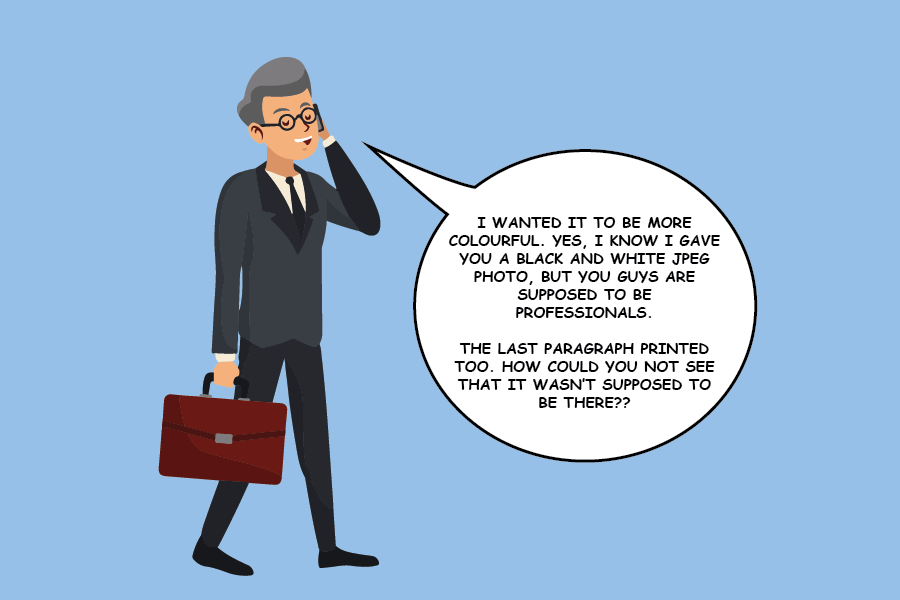
Comic of man explaining what he wants for his design
Another issue is expecting a different product than what you supplied. If your artwork is black and white, there's no way the outcome will be full-colour print. We print exactly what you design and supply. That's why we go to such lengths to make you aware of any issues with your artwork.
<AcademyDadJoke> You can't get a unicorn when you've supplied a donkey — though both have their charm! </AcademyDadJoke>
You need to indicate when placing your order that you'd like to pay for a redesign if needed.
Related Articles:
- How to get the perfect large format print
- What are printing proofs and when best to use them?
- Print Ready Artwork – An Easy Checklist
- What kind of printing company doesn't have a normal printer?!
[![Subscribe <a href="https://www.printulu.co.za/product/banners?utm_source=blog&utm_medium=content&utm_campaign=internal" class="internal-link text-[#007756] hover:text-[#005d42] underline font-medium">banner</a>](https://www.printulu.co.za/blog/wp-content/uploads/2019/05/Newsletter_Subscribe-01.png)](https://hello.printulu.co.za/newsletter-subscription)